Connect to Pimcore
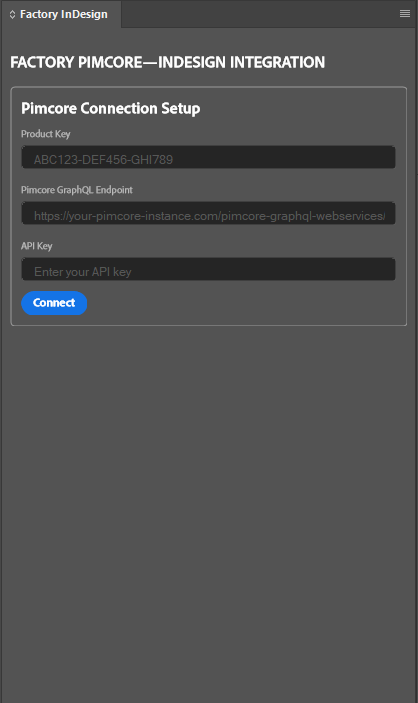
In the plugin panel, enter your Product Key, GraphQL Endpoint URL, and API Key, then click Connect. The API Key must belong to the endpoint you entered. When the connection is established, the panel displays the objects and assets exposed by that GraphQL configuration; there is no separate success message. Open OBJECTS to see the available classes and objects.
To switch connections or stop using the current one, open the panel’s three-dot menu and choose Disconnect. Connect again with the appropriate endpoint and key when needed.
If the connection does not open, use the displayed message to identify what to check:
| Message | What to check |
|---|---|
Licence not found | Check that you entered the correct Product Key. |
Connection failed: HTTP error! Status: 404 | Check the GraphQL Endpoint URL and its path. |
Connection failed: HTTP error! Status: 403 | Check that the API Key is valid for this endpoint. |
Product Key, GraphQL Endpoint URL, and API Key are required | Complete all three fields and click Connect again. |
If the details appear correct but you cannot connect, ask the person who provided the endpoint and key to verify them. Do not include a real Product Key or API Key in screenshots or support materials.
What you can see
The GraphQL configuration determines which Pimcore classes, attributes, relations, objects, and assets the plugin can show. Your individual Pimcore role does not change what the plugin can read through a shared endpoint and API Key. Treat connection details as credentials: anyone with the relevant endpoint, API Key, and Product Key can access the data exposed by that configuration.
If different teams need different content, your Pimcore administrator can provide separate GraphQL configurations and connection details. For example, a marketing configuration may expose fewer fields than a product-management configuration. If an object, field, relation, or asset is missing, ask the administrator to check what your configuration exposes rather than trying to change it in InDesign.